Audio player for Android
Point it at your library.
It just plays.
Audex connects straight to Jellyfin, Plex, Emby, Subsonic, Audiobookshelf, or Kodi — or just the files already on your phone. Browse your real library, the way your server already organizes it. No re-uploading, no ads, no account required to start.
$5 once, after a free 30-day trial. No subscription, ever.
Media servers
Whatever you're already self-hosting
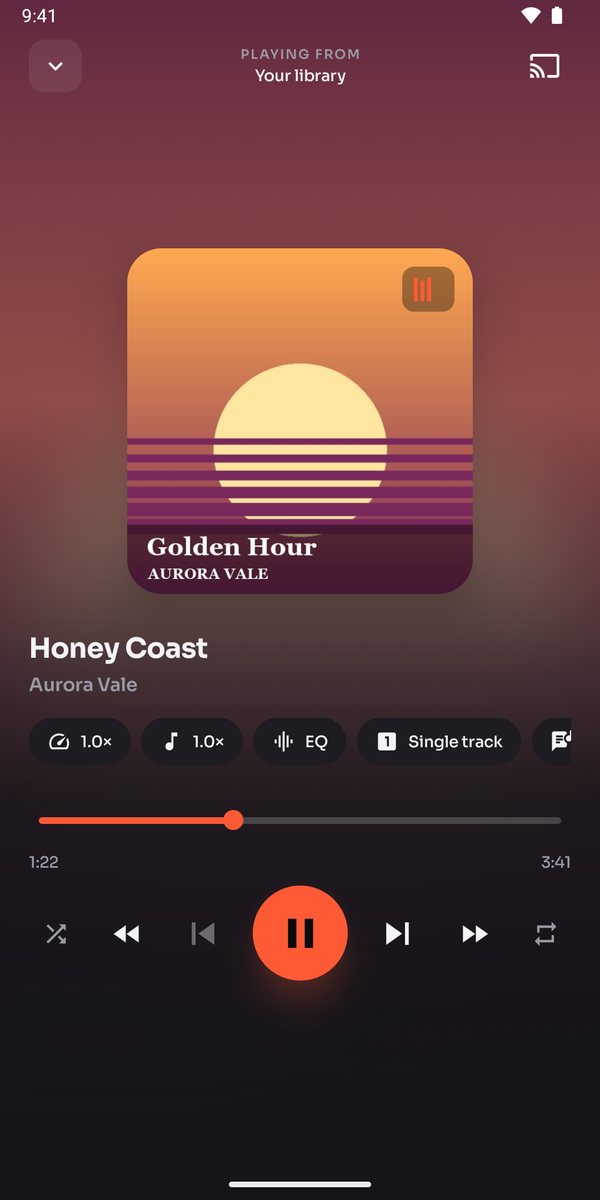
Audex connects directly to the server you already run. Browse Albums, Artists, Genres, and Playlists exactly the way your server organizes them — because it's your real library, not a copy synced into ours.
- Live connection status per server, right on the row — reconnect with one tap
- Download anything for offline listening before a commute drops your signal
- Jellyfin, Emby, Plex, and Kodi also stream your movies and shows, not just audio
- Connect more than one — switch between them from the same source picker
 Subsonic / Navidrome
 Jellyfin
 Emby
Emby Audiobookshelf
 Plex
Plex Kodi
Kodi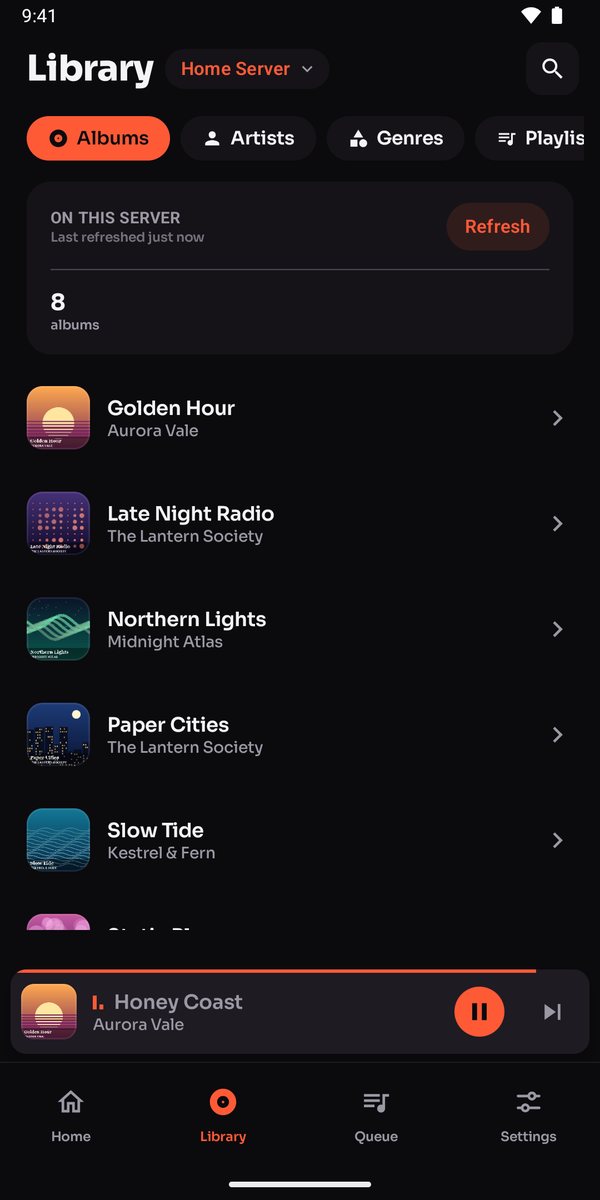
Local files & cloud folders
No server? Your files work just as well
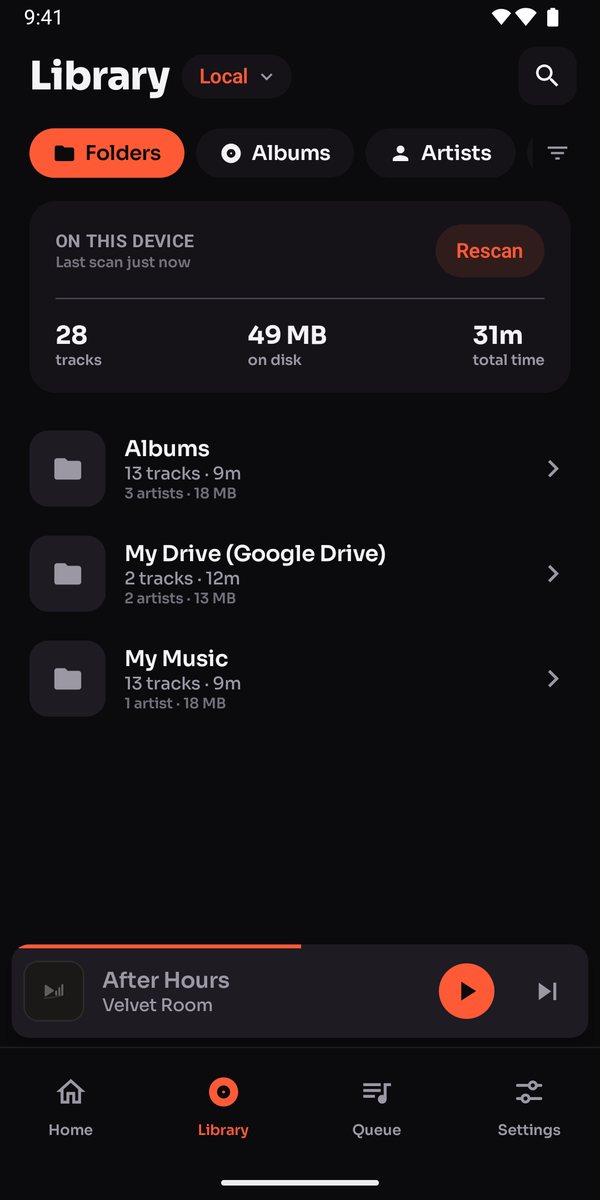
Point Audex at any folder on your device, or connect Google Drive, Dropbox, OneDrive, a WebDAV address, or an SMB network share. Everything groups itself into Albums, Artists, and Folders automatically — no manual tagging.
- One-tap shortcuts for the folders WhatsApp voice notes and your phone's own recorder already use
- A connected cloud folder downloads once, then plays like any local file — no live connection needed after
- Search scoped to whichever source you're browsing — local files, a server, or your books
PDF & EPUB, read aloud
Turn any book into an audiobook
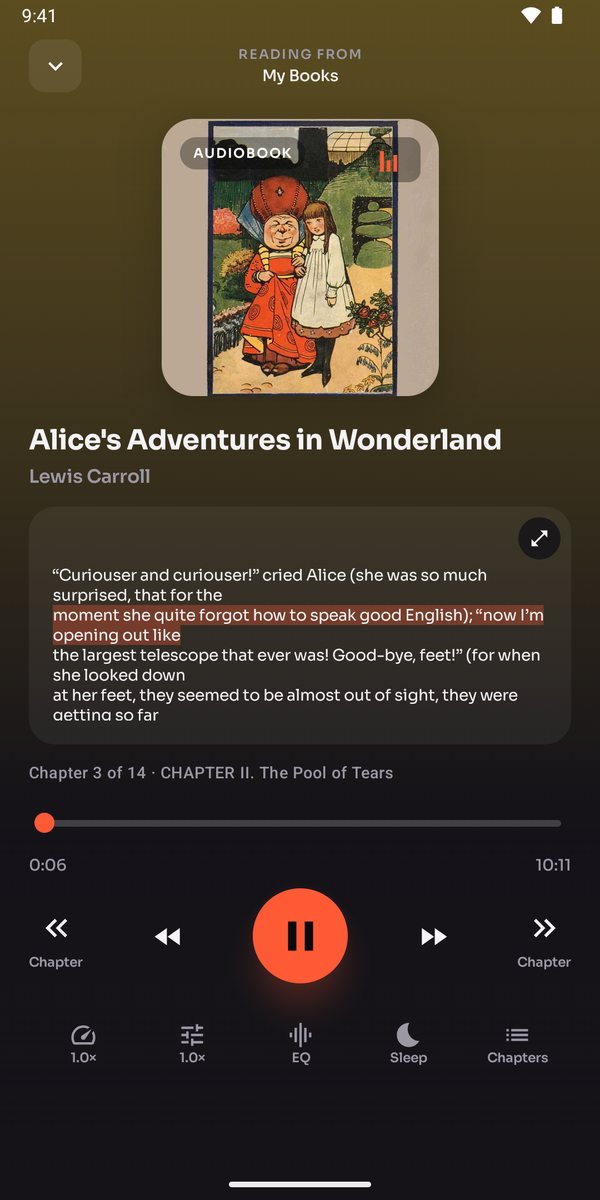
Import a PDF or EPUB and Audex reads it back to you, chapter by chapter — using the book's own table of contents, not a blind page-count guess. As it reads, the line being spoken highlights on screen so you can follow along.
- A fully offline neural voice, once downloaded — no internet needed to keep reading
- Or your phone's built-in text-to-speech, zero setup required
- Or bring your own Google Cloud key for studio-grade voices — billed to your own account, never shared with anyone else's usage
- Download a book's narration per chapter, so a long commute doesn't need signal
Internet radio
Or just put something on
Thousands of real stations from the Radio Browser directory — searchable by country or genre — plus room for any custom stream URL you already know.
Sound, tuned to you
A real equalizer, not a toy one
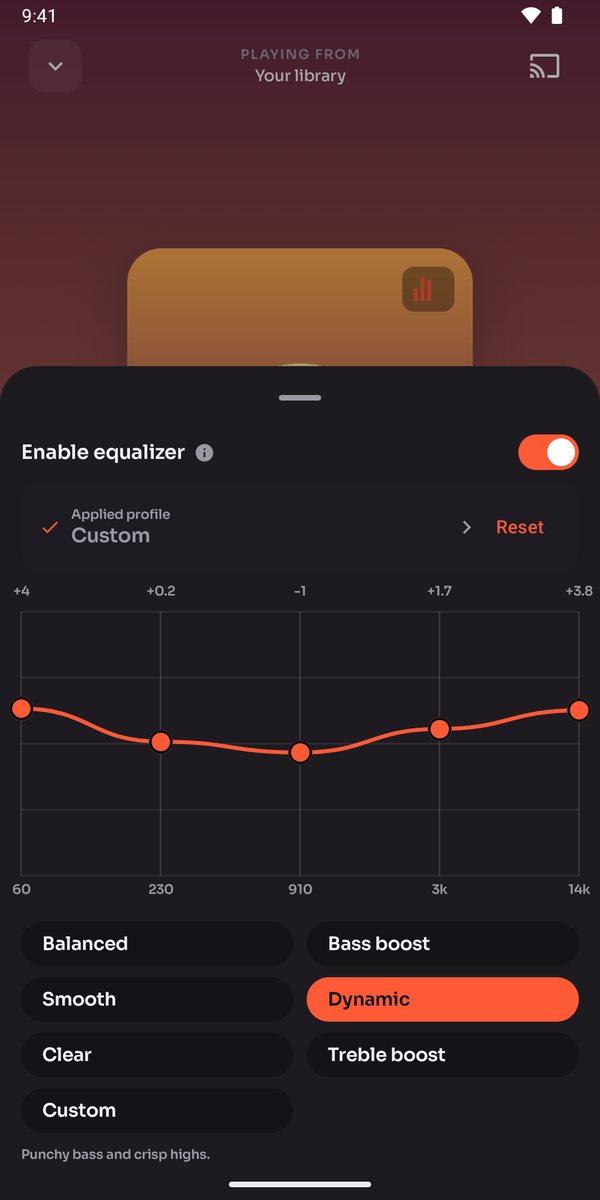
Pick your actual headphones from 113 curated AutoEQ profiles, and Audex reshapes the curve to match them — not a generic bass/treble slider pretending to know your gear.
- ReplayGain loudness correction, so you're not reaching for the volume dial between tracks
- Independent speed and pitch control — slow a lecture down without the chipmunk effect
- A sleep timer with a fixed duration or "end of chapter"
- Cast to any Chromecast-compatible TV or speaker, from any source
One app, every screen
It's not just a phone app
One purchase, tied to your Google account, covers every device you sign into.
Phone
Every server, every file, every book — the full app.
Android Auto
Browse and play hands-free from the dashboard, with working steering-wheel controls.
Wear OS
Download tracks straight to your watch for a run with no phone, or mirror what's playing on your phone in real time.
Android TV
A D-pad-built app for the living room, with the same servers and radio — plus phone-to-TV file sync.
Chromecast
Cast straight to any TV or speaker in the room, from whatever's currently playing.
Privacy
We don't want your data. We never asked for it.
No ads, ever
No ad or analytics SDKs of any kind, anywhere in the app.
Your media stays yours
Files, playlists, and listening history stay on your device — never uploaded to us.
You choose what connects
Cloud accounts and servers you connect are accessed only for what you explicitly select.
We never see your payment
Purchases go straight through Google Play — payment details never reach our servers.
Pricing
One price. Never again.
once — not a subscription
- Every feature unlocked for the full 30-day trial
- No recurring charge, no second tier hiding features later
- Works on every device signed into the same Google account — phone, watch, TV, and all
Questions
A few things people ask first
Do I need a media server to use Audex?
What happens after the 30-day trial?
Does it work without an internet connection?
Which media servers does it support?
Point it at your library.
$5 once, after a free 30-day trial. No subscription, ever.